
HeadShots app icon

HeadShots

Professional AI headshots in seconds

Photo & AI · Since 2025 · ★ 3.4 (8 ratings)

HeadShots screenshot 1HeadShots screenshot 2HeadShots screenshot 3HeadShots screenshot 4

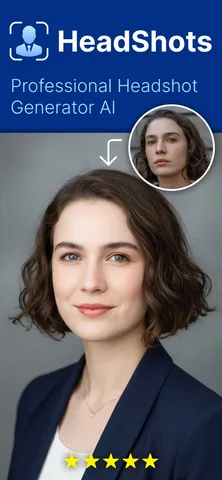
HeadShots makes a professional headshot from a photo you already have. You upload a picture of yourself, choose the look you want, and within seconds the app returns a polished studio-style portrait. It’s for job seekers updating a resume, freelancers who need a profile picture that looks the part, and teams who want matching photos for a company page.

Skip the studio booking

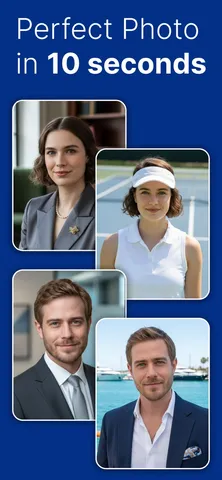
A photographer session costs money and the edited photos can take days to arrive. With HeadShots the whole thing happens on your phone in one sitting. If you don’t like the first result, pick a different style and try again.

Pick a style that fits

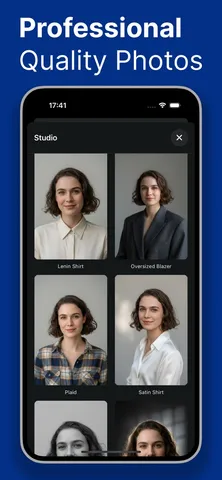
The style you choose sets the mood of the portrait. Some options lean toward a strict corporate feel, others are softer and more creative. A few common choices:

In every case the AI handles the lighting and framing and aims for a natural-looking face, not an obviously filtered one.

Your photos stay private

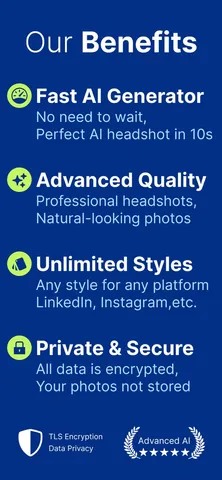
A face photo is personal data, so I treated it that way. Uploads are processed with end-to-end encryption, and HeadShots doesn’t store the photos you send. Once your headshot is ready, it’s yours to save and use wherever you need it.

HeadShots is available on iPhone.

Features

Headshot from a single photo

Add one picture of yourself, choose a style, and the AI generates a studio-style portrait in seconds.

Many styles

Choose from corporate, executive, creative and modern looks to match your job, industry or personal brand.

Studio lighting

The AI corrects lighting and presents your face clearly, so the result looks like it came from a photo session.

High resolution output

Headshots are generated at high resolution, sharp enough for profile pictures, resumes and company websites.

Photos are not stored

Uploads are encrypted end to end during processing, and HeadShots does not keep your photos.

FAQ

Is HeadShots free?

HeadShots is free to download on the App Store. Generating headshots may require an optional in-app purchase.

How does the AI headshot generator work?

You upload a photo of yourself and pick a style. The AI keeps your likeness and creates a new portrait with professional lighting, background and framing.

Can I use the headshot on LinkedIn or a resume?

Yes. That is what the app is designed for: LinkedIn profiles, resumes, job applications, portfolios and team pages.

What happens to the photos I upload?

Photos are processed with end-to-end encryption and are not stored, so your pictures stay private.

More apps

TattooArtAI tattoo design generator
Photo & AI2025
LogusAI logo maker
Photo & AI2025
MemeGenAI meme maker
Photo & AI2025
Upscale ++Upscale images to HD with AI
Photo & AI2025

All 30 apps →