Click Counter app icon

Click Counter

Simple, reliable tally counter

Utilities · Since 2024 · ★ 4.8 (30 ratings)

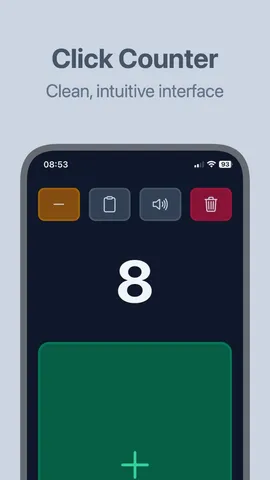
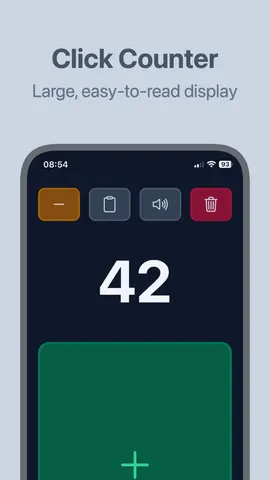
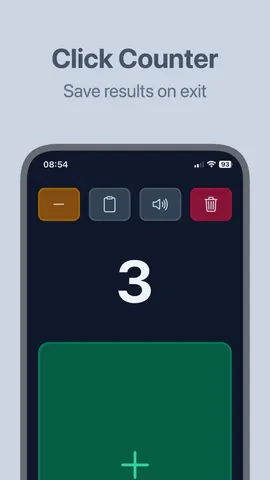
Click Counter screenshot 1Click Counter screenshot 2Click Counter screenshot 3

Click Counter replaces the metal hand tally counter with your phone. Open it, tap the screen, and the number goes up by one. I made it for people who count things for work or practice and want a tool that does that one job without menus, ads or sign-ups.

Built for counting in the field

A counter has to work when you aren’t looking at it. The tap target is large, and haptic feedback confirms each click, so you can watch the door, the shelf or the bird and not the screen. The app runs offline and uses very little battery, which matters during a long shift or a full day outdoors.

Mistakes are easy to fix

Double taps happen. Instead of resetting and starting from zero, press the decrease button to take one off. When you really do need a fresh start, reset is a single tap. Your count is saved automatically, so switching apps or locking the phone won’t lose it.

Who counts with it

Click Counter is available on iPhone and Android. More details are at clickcounter.halpindev.com.

Features

Large tap area and display

The whole screen works as the counter button, and the number is big enough to read at arm's length.

Auto save

Every tap is saved, so closing the app or getting a phone call does not reset your count.

Decrease and reset

Correct a mistaken tap with the minus button, or start over with a single reset tap.

Haptic feedback

Feel a short vibration on each count so you can keep your eyes on what you are counting. Turn it off if you prefer silence.

Offline, no ads

Works without an internet connection and shows no ads, with nothing on screen except the count.

FAQ

Is Click Counter free?

Yes. Click Counter is free to download on the App Store and Google Play, and it does not show ads.

Will I lose my count if I close the app?

No. The count is saved automatically after every tap and is still there when you come back.

Can I undo a wrong tap?

Yes. Tap the decrease button to subtract one and keep going without resetting.

Does it need an internet connection?

No. Click Counter works fully offline, which makes it practical in warehouses, outdoors and in buildings with poor signal.

What do people use a tally counter app for?

Taking attendance, counting visitors at events, stock counts, quality control checks, traffic surveys, wildlife counts and tracking reps at the gym.

More apps

Hey BasketVoice grocery list
Utilities2026
CurryCurrency converter with live rates
Utilities2026
GlowowReading light, torch & mood lamp
Utilities2025
Emoji TranslateTranslate text to emoji and back
Utilities2024

All 30 apps →