Humanize it app icon

Humanize it

Rewrite AI text so it sounds human

Productivity · Since 2024 · ★ 4.7 (69 ratings)

Humanize it screenshot 1Humanize it screenshot 2Humanize it screenshot 3Humanize it screenshot 4

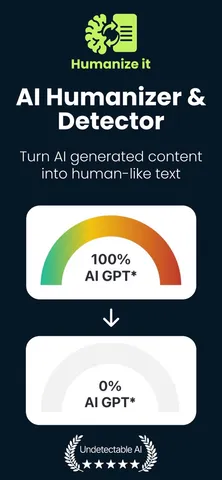
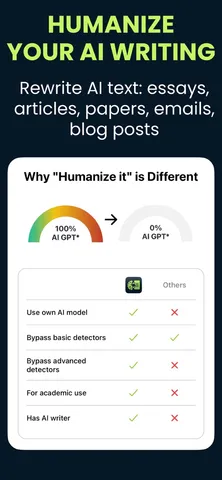
Humanize it takes text written with ChatGPT or another AI model and rewrites it so it reads like something a person typed. I built it for students, bloggers and people at work who use AI for a first draft but don’t want the stiff, predictable wording that comes with it.

Why AI text needs a second pass

AI drafts tend to repeat the same sentence shapes and lean on the same handful of words. Readers notice, and so do detectors. The humanizer changes rhythm and word choice while keeping your argument and facts in place. You choose the tone, so a cover letter can stay formal and a caption can sound relaxed.

Paraphrase, write, then check

The app has a few related tools in one place:

Teachers and editors use the detector on its own to review submitted work. Writers usually go the other way: draft, humanize, then run the detector to see how the result reads.

Small things that help

Voice input saves typing on longer prompts. Results can be copied or shared straight from the app, and History keeps earlier rewrites so you can come back to them. The rewriting itself is powered by Claude. There is a light and a dark theme.

Humanize it is available on iPhone and Android.

Features

AI humanizer

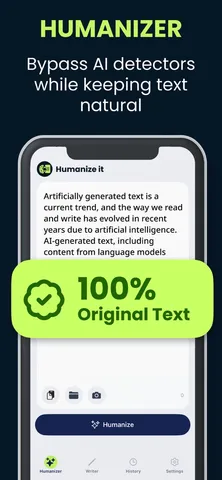
Paste text from ChatGPT or another model and get a version with natural phrasing and better flow, with the original meaning kept.

Tone options

Pick casual, formal, friendly, funny or conversational, depending on whether you are writing an essay, an email or a social post.

Paraphraser

Reword any passage to cut repetition and make it clearer, useful when a draft reads flat or repeats the same phrases.

AI detector

Check whether a text looks AI-written, with a confidence score, an analysis and a guess at which model produced it.

Essay writer

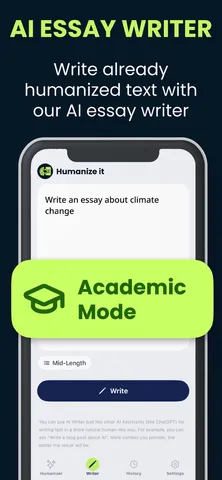
Generate an essay that is already humanized, choose its length and compare several variations before you pick one.

FAQ

Is Humanize it free?

Yes. Humanize it is free to download, and the free version includes a limited number of generations. A Pro subscription removes the limit, adds more tones and styles, and turns off ads.

How does the AI humanizer work?

You paste or dictate your text, choose a tone and tap the button. The app rewrites sentence structure and word choice so the result reads like a person wrote it, while the meaning stays the same.

Can I check if a text was written by AI?

Yes. The built-in AI detector gives a confidence score and a short analysis. It works on raw AI output and on text that has already been edited.

Can I see my previous results?

Yes. Past rewrites are saved in History, so you can return to them, copy them or share them later.

More apps

EstudoLearn European languages as spoken
Productivity2026
RemindrADHD-friendly reminders you won't miss
Productivity2026
TranslataVoice translator
Productivity2025
VoiceTypeVoice notes and speech-to-text
Productivity2025

All 30 apps →