
Cartoon Maker app icon

Cartoon Maker

Turn photos into cartoons and anime

Photo & AI · Since 2025 · ★ 4.7 (36 ratings)

Cartoon Maker screenshot 1Cartoon Maker screenshot 2Cartoon Maker screenshot 3Cartoon Maker screenshot 4

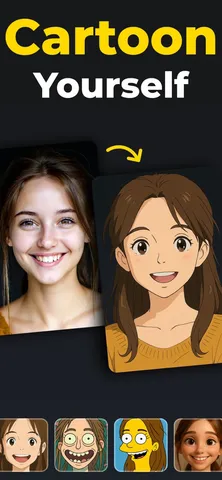
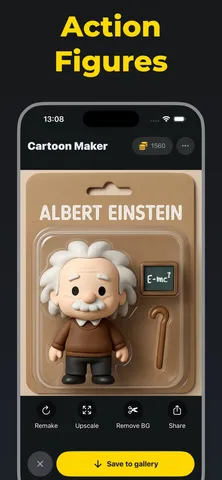
Cartoon Maker turns a regular photo into a drawing. Pick a selfie, a portrait or a picture of friends, choose a style, and the app redraws it as an anime character, a comic panel, a caricature or a 3D figure. People mostly use it for profile pictures, avatars and funny images to send in group chats.

Styles to try

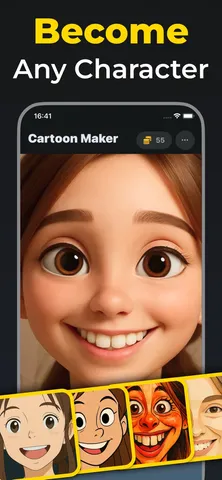
There are dozens of styles, and the same photo can look very different in each one. A sketch style gives you something close to a pencil drawing. Caricature exaggerates features for a laugh. The anime and 3D looks are popular for avatars. Since you can generate several versions from one photo, it is worth trying a few before you save.

How it works

  1. Choose a style
  2. Select a photo
  3. Generate the cartoon
  4. Save it, or post it to the community feed

A feed of other people’s cartoons

Besides making your own, you can scroll through what others have created. It is a good way to see which styles work best with which kind of photo. If you sign in, you can like and comment on cartoons, publish yours and keep a list of favorites. Notifications about replies and likes are optional.

Free and Premium

Every user gets one free cartoon a week. Premium, billed monthly or yearly, gives a fresh batch of credits each period, and unused credits carry over. Premium cartoons have no watermark and are generated at the highest quality.

Cartoon Maker is available on iPhone and Android.

Features

Dozens of styles

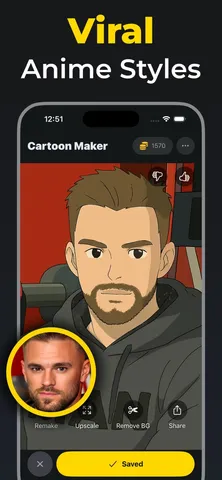
Anime, comic portrait, sketch, caricature, 3D and other illustration styles, all applied to your own photo.

Several versions per photo

Generate more than one result from the same picture and keep the one you like best.

Community feed

Browse cartoons other people have made, then like, comment on and favorite the ones you want to come back to.

Use it without an account

Create and save cartoons right away. Sign in only if you want to publish, comment and keep favorites synced.

FAQ

Is Cartoon Maker free?

Yes. Cartoon Maker is free to download, and everyone gets a free cartoon every week. A monthly or yearly Premium plan adds credits each billing period, removes the watermark and uses the best quality.

How do I turn a photo into a cartoon?

Choose a style, select a photo from your gallery and tap generate. When the cartoon is ready, save it or share it with the community.

Can I make an anime version of myself?

Yes. Pick one of the anime-inspired styles and use a clear selfie or portrait. The app works well for profile pictures and avatars.

Do I need an account?

No. You can create and save cartoons without signing in. An account is needed only to publish to the community feed and join conversations.

What happens to unused credits?

On a Premium plan, unused credits roll over to the next period, and you can top up extra credits at any time.

More apps

HeadShotsProfessional AI headshots in seconds
Photo & AI2025
TattooArtAI tattoo design generator
Photo & AI2025
LogusAI logo maker
Photo & AI2025
MemeGenAI meme maker
Photo & AI2025

All 30 apps →